Tips for Physical Distancing in the Workplace


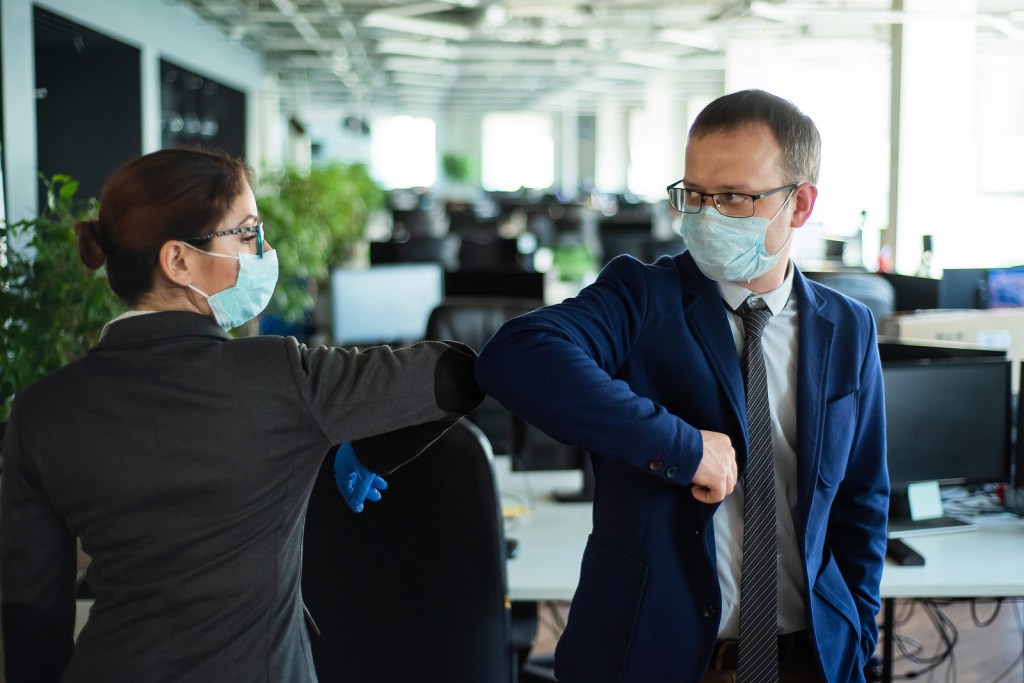
Office workers shake hands when meeting and greet bumping elbows.

Some of us may be re-entering the workplace after several weeks, if not months, of self-isolation at home.  Naturally, both employers and staff are concerned that their work environments are adequately set up to help people to stay safe, while still remaining productive and comfortable at work. 

We wanted to help!  So, we’ve compiled this list from the various health authorities of tips for helping to physically distance in the workplace.

  1. Have sanitizing and PPE supplies (ie. masks) readily available to each employee and in high-touch areas such as by the photocopier and breakroom. 
  2. Post arrows to direct traffic in the office one-way only to avoid unnecessary contact. For example, always have people walk clockwise.  
  3. If in a cubical workspace, have every other person in a workstation to keep physically distant.
  4. Avoid shaking hands with others, and if you feel contact is absolutely necessary, try an elbow bump in lieu of a handshake.   
  5. Stay home if you are feeling unwell and avoid contact with people who are sick.
  6. Discourage the sharing of telephones, keyboards, desks and workstations, and if this can’t be avoided sanitize between users. 
  7. Conduct virtual meetings as an alternative to a face-to-face meeting.
  8. Have only a half capacity of employees be in the office at a time (working on a rotating schedule A/B rotation).
  9. Stagger start times, breaks and lunches to limit any unnecessary contact. 
  10. Suspend all group activities and gatherings for the time being.
  11. Consider bringing back employees as gradual as possible, to limit both the employer and staff from being too overwhelmed with the change in procedures. 
  12. Posting positive notes or motivational messages around the office to show you care about staff’s mental health during this time is also very important.  This can help to reduce any increase in anxiety and stress due to the new environment. 
  13. Where you can’t follow physical distancing, install barriers such as Plexiglas to separate people.
  14. Restrict visitors and limit workplace entry to only essential personnel.
  15. Consider re-arranging the office layout by moving furniture or using visual cues such as tape on the floor to enhance physical distancing.
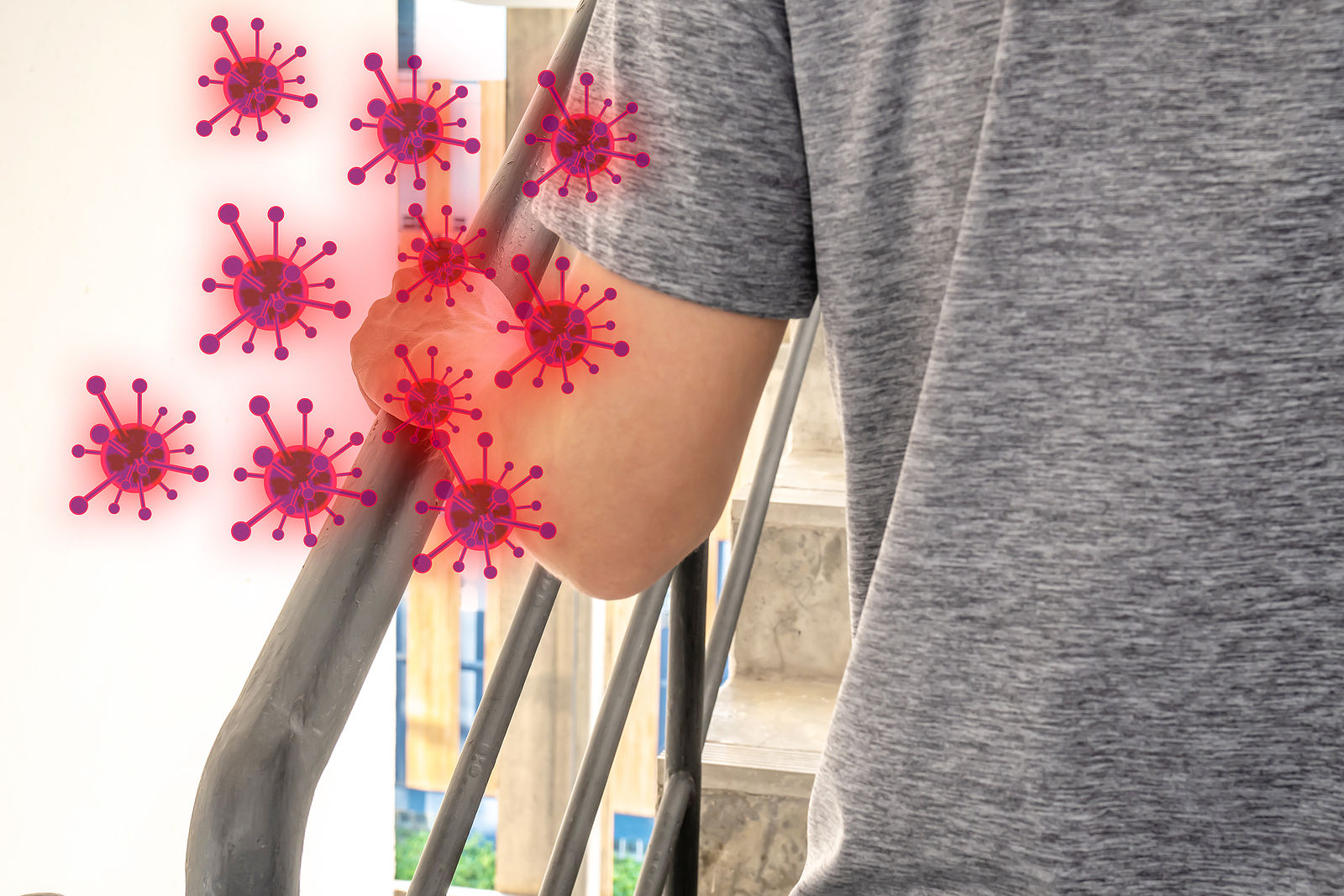
  16. Have tissues or paper towels conveniently located to be used to turn off light switches, open doors, push buttons, etc.
  17. In the washrooms, mark off any sinks and urinals that are not at least 6-ft away from one another to ensure sufficient physical distancing.

We hope this was helpful and you find comfort in knowing that we are all in this together as we learn how to navigate these challenging times! 

Sources:

https://www.cushmanwakefield.com/en/netherlands/six-feet-office
https://www.canada.ca/en/public-health/services/diseases/2019-novel-coronavirus-infection/mental-health.html

https://www.pshsa.ca/covid-19/rtwp

What Is Antimicrobial?


By using products with an antimicrobial protection, not only will you protect yourself from picking up potentially harmful bacteria but you will reduce the spread of such bacteria on any shared surfaces.

It’s a term you’ve heard for years, that we’ve come to understand is something that helps protect us, but what exactly does antimicrobial mean anyways and how does it help us? We’ll answer those questions here!

So, what does antimicrobial mean?

Antimicrobial products kill or slow the spread of bacteria, viruses, protozoans, and fungi such as mold and mildew.1 You can find antimicrobial products everywhere – in your home, workplace or school.

Antimicrobial technology typically contains one of three active ingredients2 :

  1. Silver ion – used in a wide range of materials and applications including medical coatings, plastics and food-contact products
  2. Zinc – which is commonly used as an antifungal
  3. Copper – used as a preservative on hard surfaces

Which ingredient that is added is determined by the product type, where in the world it will be sold, and what efficacy claims the manufacturer is looking to make.

But how does it help protect me?

By using products with an antimicrobial protection, not only will you protect yourself from picking up potentially harmful bacteria but you will reduce the spread of such bacteria on any shared surfaces. In addition, the enhanced protection will also help extend the life of your product by protecting it from deteriorating quicker, staining and developing odours. This protection also doesn’t wash off or wear away, so you can enjoy the benefit of having continuous antimicrobial protection.

First Sit and Stand Experience: A Week Long Study


Hello everyone,

Nem here, the Web Marketing Specialist. Hope your journey to a healthier workplace is going according to plan. As part of this month’s workplace wellness blog we thought it would be worthwhile to do a mini-study on myself, by myself (not sure if this one will be a part of any peer reviewed journals) with regards to the sit and stand workstations.

Sit & Stand Workstation Study

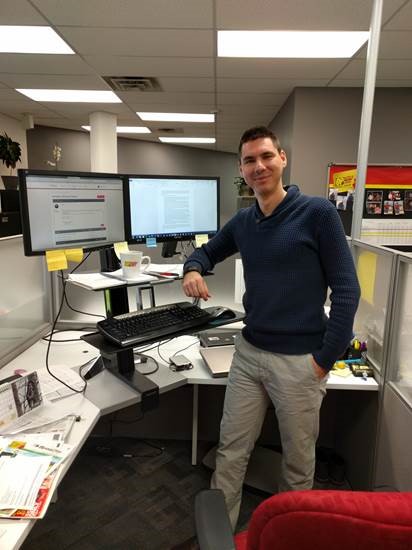
Many of us at our office got outfitted with these options and we’ve been trying to implement a good balance between sitting and standing. My personal goal was to reach a 50-50 balance. And as a little background on my daily activity; I do not do much moving around – my tasks consist mainly of working on the computer, unless we have to move tables, throw out old equipment or carry stuff into the storage room (Raf, the graphic designer and I are the internal moving team). The only times I get up are for lunch, grabbing coffee or restroom breaks.


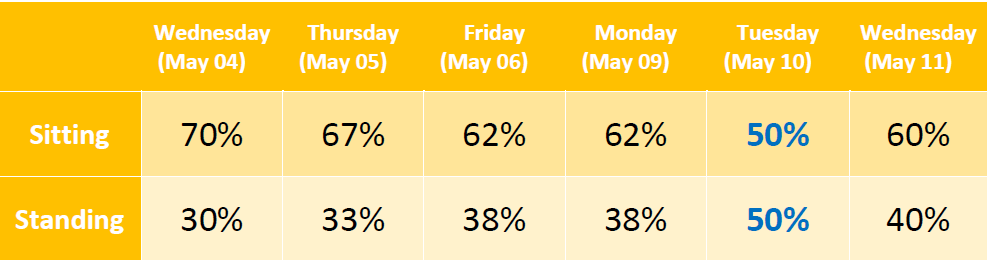
Below is a chart where you will find my sitting vs. standing schedule over a week. You will notice I only hit that goal once during the week, and as a first timer using a sit & stand extension I think that is not too bad. Most of the time I would forget to stand (caught up in doing work) and then I would have to make up the time by standing for prolonged periods of time as opposed to doing timely and balanced intervals.

Weekly Chart: Sitting vs. Standing

Summary of my experiences during this week:

1. Making a daily schedule of when to sit and stand helps remind you to actually stand.

We all get caught up in our responsibilities and our brains have been basically wired to sit (if your job is computer heavy like mine) at work. I made a schedule for each day and followed it (for the most part) to gradually increase my standing time.

2. Doing short intervals between sitting and standing is much better than trying to stand or sit for longer periods.

When I would sit for too long, I tried to balance it out by standing for the same (if not longer) amount of time. Let me tell you, your feet get sore! It’s not too bad but at some point you start to lean on one leg, then the other to avoid soreness. I found myself shuffling my feet, anything but to stay stationary. We even got a Steppie (balancing board for your feet while you stand, it rocks left and right) that I used but it elevated me past my monitors so I went back to alternating my legs while standing. Short intervals > long periods of time.

3. My focus increased while standing.

Usually I would lock in and chip away at a specific task continuously. Perhaps it was the increased blood flow as the manufacturers claim, or it could have been the fact that when you stand to work it’s almost like raising your hand in class. You are put on the spot to answer (or ask a question) and “everyone” is watching. Probably a little subconscious trick of the brain to get you into another gear.

4. Another interesting thing I found is that if any of my colleagues near me were standing, we would be more collaborative (or communicative).

Being eye level with someone (as opposed to being separated by a cubicle wall) made it easier to ask a question directly while working instead of sending an email and waiting for a response. Actually the same case can be made for colleagues in different locations of the office. I found myself walking over and having a conversation (assuming they were not busy or in meetings) regarding certain tasks as opposed to just emailing back and forth.

5. First thing in the morning and first thing after lunch were NOT my standing times.

I would usually take the 1st hour after coming into the office and about 30-45 minutes after lunch to sit. Any other time of the day was fair game.


So there you have it – my initial experiences with the sit & stand workstation on the road to a healthier workday. I would love to hear if anyone else has had a similar or different experience using one of these. I would also be very interested in hearing from people who don’t necessarily work at a computer all day – do you find sitting breaks necessary sometimes?